
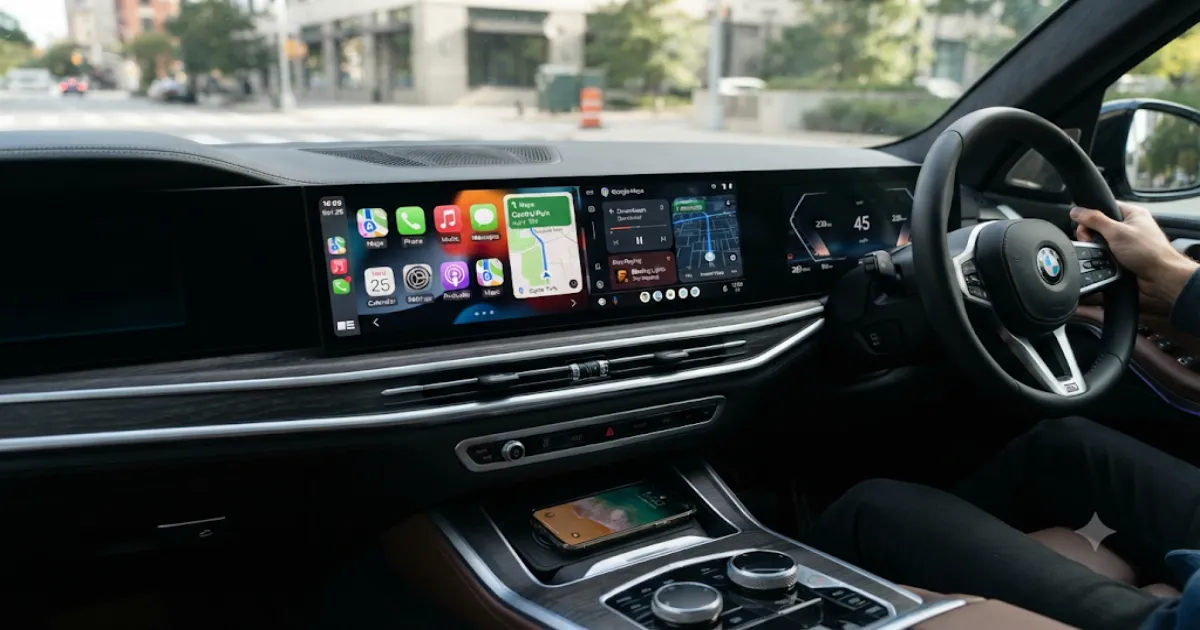
 How Navigation, Voice Commands, Connectivity and Everyday Features Compare in Apple CarPlay vs Android Auto
By Dragon Auto Editorial Team · Automotive Technology Guide
Your car’s infotainment system has become almost as important as its engine, seats and safety features. Drivers now expect their vehicles to do more than play the radio or connect to Bluetooth. They want reliable navigation, hands-free communication, music streaming, voice commands and easy access to smartphone applications without constantly picking up their phones.
This is where Apple CarPlay and Android Auto come in.
Both technologies allow drivers to connect their smartphones to a compatible car display and access selected applications through a simplified interface. They make everyday journeys more convenient, whether someone is commuting to work, travelling across states or driving through an unfamiliar city.
However, choosing between them is not always straightforward. Apple CarPlay is designed for iPhone users, while Android Auto works with compatible Android smartphones. Their basic purpose is similar, but their interfaces, navigation experiences, voice assistants and application support have some important differences.
So, in the Apple CarPlay vs Android Auto comparison, which system actually offers the better experience?
The answer depends on the smartphone you own, the applications you use and how you interact with your car’s infotainment system. Let’s examine both technologies in detail.
AWD vs 4WD: Which Is Better for Snow, Off-Road & Everyday Driving?
What Does MPG Mean and How Does It Affect Fuel Costs?
What Are Apple CarPlay and Android Auto?
 Before comparing their features, it helps to understand what these two systems actually do.
Apple CarPlay and Android Auto are smartphone integration platforms. Instead of displaying your phone’s entire interface on the vehicle’s screen, they provide a driving-friendly version of supported applications.
This allows drivers to use essential smartphone functions without navigating through a complicated mobile interface.
Apple CarPlay
Apple CarPlay connects a compatible iPhone to a supported vehicle’s infotainment system. It provides access to applications such as Apple Maps, Google Maps, Apple Music, Spotify, Messages and other compatible services.
Drivers can interact with CarPlay through the touchscreen, steering-wheel controls or Siri voice commands.
Android Auto
Android Auto offers a similar experience for compatible Android smartphones. It brings supported applications, including Google Maps, Google Assistant or Gemini where available, Spotify, messaging services and other compatible apps to the vehicle’s display.
Its interface is closely connected to Google’s Android ecosystem.
One important distinction is that neither platform normally replaces the vehicle’s original infotainment software. Instead, it works alongside the manufacturer’s system, allowing drivers to switch between the vehicle’s native functions and smartphone integration.
Apple CarPlay vs. Android Auto: Feature-by-Feature Comparison
Both platforms cover the essentials, but the differences become more noticeable when you use them every day. Navigation, voice commands, music controls, screen layout and smartphone compatibility can all influence the experience.
1. User Interface and Ease of Use
Apple CarPlay follows Apple’s familiar design philosophy. Its interface is clean, organised and relatively simple to understand. Applications appear in an organised grid, while the Dashboard provides quick access to navigation, music playback and useful suggestions.
For someone who already owns an iPhone, the learning curve is almost nonexistent. The menus, icons and general appearance feel familiar.
Android Auto takes a slightly different approach. Its interface places greater emphasis on contextual information, notifications and multitasking. Depending on the vehicle’s display and software version, drivers can see navigation, music controls and other supported information together.
Google has also developed Android Auto to work across different screen sizes and vehicle layouts. This flexibility makes it suitable for a wide range of infotainment systems.
Which is better?
CarPlay has an advantage in visual consistency and simplicity. Android Auto is particularly appealing to drivers who prefer a more information-rich interface and greater flexibility.
Neither system is difficult to learn, and the actual experience depends partly on the vehicle manufacturer’s screen and controls.
2. Navigation: Apple Maps vs. Google Maps
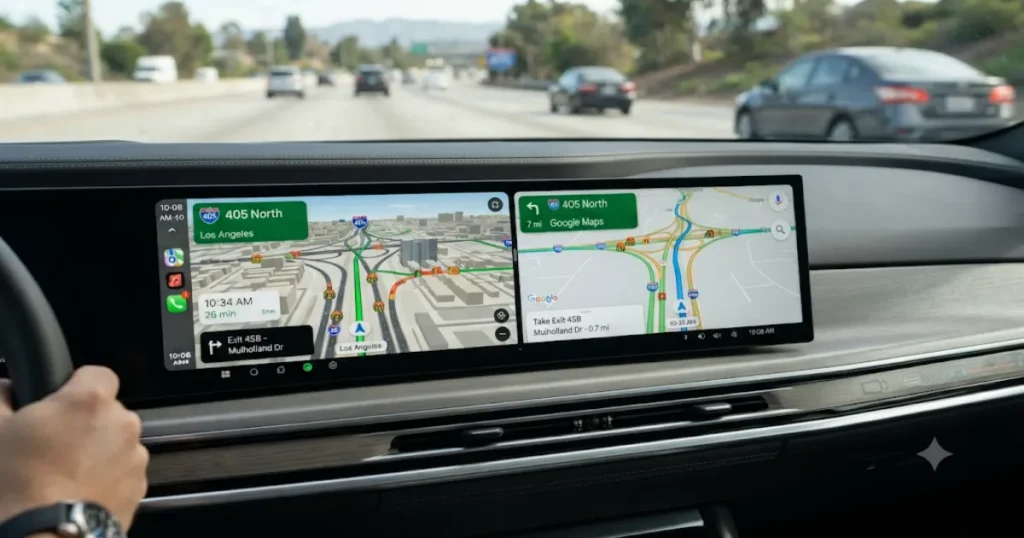 Navigation is arguably the most important feature of any smartphone integration system. Whether you are travelling through busy city traffic or driving on an unfamiliar highway, accurate directions can make a significant difference.
Apple CarPlay comes with Apple Maps integration, although drivers can also use supported third-party navigation applications such as Google Maps and Waze.
Apple Maps offers turn-by-turn directions, estimated arrival times, route information and location suggestions. It can also use information from supported apps such as Calendar and Messages to help identify destinations.
Android Auto has a natural advantage for drivers who regularly use Google’s navigation ecosystem. Google Maps offers familiar search functions, location information, traffic updates and alternative routes. Waze is another popular option for drivers who value community-reported traffic conditions and road alerts.
However, it would be inaccurate to say that Android Auto always provides better navigation simply because it is developed by Google. Google Maps is also available on CarPlay.
The practical difference is the overall integration with each smartphone’s operating system and the navigation applications a driver prefers.
Which is better?
Apple CarPlay: Excellent for iPhone users who prefer Apple Maps and a consistent Apple ecosystem.
Android Auto: A strong choice for drivers who rely on Google Maps, Google services and location-based search.
For drivers in India, Google Maps and Waze availability, local road coverage and regional features are worth considering before choosing a navigation setup.
3. Voice Assistants: Siri vs. Google Gemini
Voice commands are particularly useful when driving because they reduce the need to interact physically with the infotainment screen.
Apple CarPlay uses Siri, Apple’s voice assistant. Drivers can ask Siri to make phone calls, send messages, play music, get directions and perform other supported tasks.
For example, a driver can say, “Hey Siri, take me home,” or ask Siri to call someone from their contacts.
Android Auto offers Google’s voice-assistant ecosystem, including Gemini where supported. Gemini brings more conversational interactions to compatible Android Auto setups. Drivers can use voice commands to find destinations, manage music, send messages and have more natural conversations.
This is an area where Android Auto has an interesting advantage. Gemini’s conversational capabilities can make certain requests feel less like issuing commands to a machine and more like having a conversation.
For example, a driver might ask for a place to eat along a route rather than searching manually for a specific restaurant.
However, Gemini availability depends on device, language, region and software compatibility. Siri also has limitations, particularly when a request involves services outside Apple’s supported ecosystem.
Which is better?
Android Auto has an edge in conversational AI capabilities where Gemini is available. Siri remains a convenient option for people who already use Apple devices and services.
4. Music, Podcasts and Entertainment
Music makes long journeys more enjoyable, and both systems provide access to popular audio applications.
Apple CarPlay supports Apple Music, Spotify, YouTube Music, podcasts and other compatible audio services. Its interface makes it relatively easy to browse playlists, select albums and control playback.
Android Auto supports many of the same applications, including Spotify, YouTube Music and podcast platforms. Drivers can use touchscreen controls or voice commands to select music and manage playback.
There is no major difference in basic music-streaming functionality. If you use Spotify, for example, you can access it through either platform, provided your car and phone support the necessary integration.
Apple has an additional advantage for users subscribed to Apple Music, thanks to its integration with the wider Apple ecosystem. Android Auto feels particularly natural for people who use YouTube Music and other Google services.
Sound quality, however, is not automatically better on either platform. It depends more on the vehicle’s speakers, audio processing, connection quality and the audio source.
Which is better?
This category is largely a tie. Your existing music subscription and preferred applications matter more than the platform itself.
5. Phone Calls and Messaging
Making calls and receiving messages without holding a smartphone is one of the most practical benefits of both systems.
Apple CarPlay works with the iPhone’s Phone and Messages applications. Siri can announce supported incoming messages and allow drivers to dictate replies.
It also supports compatible third-party messaging applications, including WhatsApp.
Android Auto offers similar functionality. Drivers can make calls, listen to incoming messages and dictate responses using voice commands. Supported messaging applications can integrate with the infotainment interface.
The main difference comes down to how comfortable you are with each voice assistant and how well your preferred messaging applications work.
For people who regularly communicate through WhatsApp, both platforms offer useful integration, although specific features can vary.
Which is better?
There is no clear winner. Both systems handle everyday communication effectively, provided drivers use supported applications and voice controls.
6. Wireless Connectivity and USB Connection
One of the biggest conveniences in modern infotainment systems is wireless smartphone connectivity.
With wired connectivity, drivers connect their smartphones using a USB cable. This is generally straightforward and can also charge the phone while driving.
Wireless connectivity removes the need to plug in a cable every time you enter the vehicle.
Both Apple CarPlay and Android Auto support wireless connections in compatible vehicles and with compatible smartphones.
However, wireless support is not universal. Some vehicles offer wired CarPlay and Android Auto but require an optional feature or a different infotainment configuration for wireless connectivity.
There are also aftermarket wireless adapters that can convert certain wired systems into wireless setups. Compatibility varies, so drivers should check the adapter’s supported vehicle and smartphone list before purchasing one.
Wireless connectivity is convenient, but it can use more battery power on your smartphone. A USB connection may be preferable on longer journeys when charging is important.
Which is better?
Both are comparable. The vehicle’s hardware and smartphone compatibility matter more than the platform.
7. App Compatibility and Third-Party Support
 A smartphone integration system becomes more useful when it supports the applications you actually use.
Apple CarPlay and Android Auto both support a range of third-party applications, including navigation, music, messaging, audio entertainment, parking and electric vehicle charging services.
Apple maintains tighter control over which applications can appear in CarPlay. Apps must follow Apple’s requirements and use supported interface templates.
Android Auto also has application compatibility requirements, but its broader Android ecosystem gives developers a different environment to work with.
This does not mean every Android application automatically works with Android Auto. Only supported applications can appear on the vehicle’s display.
For drivers, the important point is to check whether essential apps are supported before deciding which system is more suitable.
Which is better?
Android Auto offers an appealing experience for people who use a variety of Google and Android services. CarPlay provides a carefully controlled application environment that is easy to navigate.
8. Customisation and Personalisation
Personalisation may not be the first thing people consider when purchasing a car, but it can improve the daily driving experience.
Apple CarPlay allows users to rearrange application icons, select wallpapers and customise certain dashboard elements. The overall appearance remains consistent with Apple’s design language.
Android Auto also provides personalisation options, including supported interface layouts and customisation features that can vary according to the software version and vehicle.
Android Auto generally feels more flexible to users who are comfortable with Android’s customisation approach. CarPlay is more restrained, prioritising consistency and simplicity.
Which is better?
Android Auto gets a slight advantage for flexibility, while CarPlay is better for drivers who prefer a uniform and straightforward interface.
9. Performance, Reliability and Battery Usage
A good infotainment system should work consistently without frequent disconnections, delays or unexpected problems.
Both platforms are generally reliable when used with compatible phones and properly functioning vehicle hardware.
However, the experience can vary significantly between vehicles.
An older infotainment system may have slower processing, limited screen resolution or outdated software. A newer vehicle may offer a more responsive touchscreen and faster wireless connectivity.
Wireless connections can also introduce occasional pairing problems, particularly when multiple phones have previously been connected to the vehicle.
Battery consumption is another consideration. Wireless smartphone integration uses wireless communication and can drain a phone’s battery faster than some drivers expect. Navigation, mobile data and music streaming can increase that consumption further.
Using a USB cable can help keep the phone charged during long journeys.
Which is better?
Neither platform has a universal performance advantage. Vehicle hardware, smartphone condition, software updates and connection quality play a major role.
Apple CarPlay vs. Android Auto: Complete Comparison Table
Here is a quick comparison of the most important features.
Feature | Apple CarPlay | Android Auto |
|---|---|---|
Smartphone support | iPhone | Android phones |
Interface | Clean and consistent | Flexible and information-rich |
Navigation | Apple Maps, Google Maps, Waze | Google Maps, Waze |
Voice assistant | Siri | Google Assistant/Gemini where available |
Music applications | Apple Music, Spotify, YouTube Music | Spotify, YouTube Music and others |
Messaging | Messages, WhatsApp and supported apps | Google Messages, WhatsApp and supported apps |
Wireless connection | Supported vehicles and phones | Supported vehicles and phones |
Customisation | More controlled | More flexible |
Third-party apps | Supported CarPlay apps | Supported Android Auto apps |
Best suited for | iPhone users | Android users |
Features and availability vary by country, smartphone, operating system, vehicle manufacturer and infotainment system.
Advantages and Disadvantages of Apple CarPlay
Advantages
Simple and familiar interface for iPhone users.
Smooth integration with Apple’s ecosystem.
Easy access to Apple Maps and supported third-party navigation apps.
Convenient Siri voice controls.
Good support for popular music and messaging applications.
Consistent design across compatible vehicles.
Disadvantages
Only works with compatible iPhones.
Some advanced features depend on vehicle support.
Less freedom to customise the overall interface.
Siri may struggle with certain complex requests.
Wireless connectivity is not available in every compatible vehicle.
Advantages and Disadvantages of Android Auto
Advantages
Works with a wide range of compatible Android smartphones.
Strong integration with Google Maps and Google services.
Gemini offers conversational AI capabilities where supported.
Flexible interface and useful multitasking features.
Supports popular navigation, music and messaging applications.
Available in many modern vehicles and aftermarket head units.
Disadvantages
Wireless compatibility varies between phones and vehicles.
Some features depend on Google’s services and regional availability.
The experience can differ between Android phone manufacturers.
Certain applications are not supported on the car display.
Wireless usage can drain smartphone batteries.
Which Cars Support Apple CarPlay and Android Auto?
Compatibility is one of the most important things to check before choosing either platform.
Many modern vehicles support both Apple CarPlay and Android Auto. However, some manufacturers and specific vehicle models offer only one of the two systems, while others provide neither.
In the Indian market, smartphone integration is available across several vehicle categories, including hatchbacks, sedans and SUVs.
Depending on the model and variant, buyers may find these features in vehicles from manufacturers such as:
Maruti Suzuki
Hyundai
Tata Motors
Kia
Toyota
Honda
Mahindra
MG Motor
However, compatibility should never be assumed based on the manufacturer’s name alone. The same vehicle can have different infotainment equipment across its variants and model years.
Before purchasing a vehicle, check the following:
Does the exact variant support Apple CarPlay?
Does it also support Android Auto?
Are both systems available wirelessly or only through USB?
Does the infotainment system support the smartphone you currently own?
Can the system receive software updates?
If you already own a car without smartphone integration, an aftermarket infotainment system may be an option. Some compatible head units from brands such as Pioneer, Sony and Kenwood offer both platforms.
Always confirm the installation requirements, steering-wheel control compatibility and vehicle-specific wiring before upgrading.
Can You Use Apple CarPlay and Android Auto in the Same Car?
Yes. Many modern vehicles support both systems.
For example, if a family has one iPhone user and another person using an Android smartphone, both can connect to the same vehicle, provided its infotainment system supports both platforms.
The driver generally selects the connected smartphone or establishes the connection when entering the car.
This flexibility is useful for households where different family members use different smartphone brands. It also means you do not necessarily need to change your preferred smartphone when purchasing a new vehicle.
One thing to remember is that CarPlay and Android Auto do not normally run as two independent full interfaces simultaneously on the same infotainment display. The active connection determines which smartphone interface is shown.
Is Wireless Apple CarPlay or Android Auto Worth It?
Wireless connectivity is one of those features that may seem unnecessary until you use it regularly.
With a wired connection, you have to plug in your phone every time you enter the vehicle. Wireless systems automatically connect compatible devices after the initial setup, making everyday journeys easier.
However, wireless connectivity is not essential for everyone.
For drivers who take short trips, wireless integration offers convenience. Those who regularly travel long distances may prefer a USB connection because it can charge the phone while navigation and music applications are running.
There is also a practical consideration: wireless systems may take a little longer to establish a connection in certain vehicles.
If you are buying a new car, wireless smartphone integration is worth considering, but it should not be the deciding factor over more important features such as safety equipment, reliability and driving comfort.
Should You Choose Apple CarPlay or Android Auto?
The decision becomes much easier when you consider your smartphone and daily habits.
Choose Apple CarPlay if:
You already own an iPhone.
You use Apple Music, Apple Maps and other Apple services.
You prefer a clean and consistent interface.
You value integration with your other Apple devices.
You want a simple infotainment experience without unnecessary complexity.
Choose Android Auto if:
You use an Android smartphone.
Google Maps is your preferred navigation application.
You regularly use Google services.
You want Gemini integration where available.
You prefer a more flexible interface.
If you are purchasing a new vehicle, choosing a model that supports both systems is often the most practical decision. It gives you flexibility if you change smartphones later or share the vehicle with another driver.
Frequently Asked Questions
1. Is Apple CarPlay better than Android Auto?
Neither system is universally better. Apple CarPlay is an excellent option for iPhone users, while Android Auto is better suited to Android smartphone owners. Both offer navigation, music, calls, messaging and voice controls.
2. Does Android Auto work with an iPhone?
No. Android Auto is designed for compatible Android smartphones. iPhone users need Apple CarPlay when their vehicle supports it.
3. Does Apple CarPlay work without an internet connection?
Some CarPlay functions work without an active internet connection. However, online navigation information, live traffic updates, music streaming and other connected services generally require internet access. Downloaded offline maps and locally stored music can be useful when connectivity is limited.
4. Does Android Auto require mobile data?
Android Auto itself does not require continuous mobile data for every function. However, services such as online navigation, live traffic information, streaming music and online voice assistance need an internet connection.
5. Can I install Apple CarPlay in an older car?
Yes, in many cases. You can upgrade an older vehicle using a compatible aftermarket infotainment head unit. However, installation depends on the vehicle’s dashboard design, wiring and existing audio system.
6. Is wireless Android Auto better than wired Android Auto?
Wireless Android Auto is more convenient because you do not need to connect a USB cable each time. Wired Android Auto can be more practical for charging your phone during longer journeys and may provide a more consistent connection in some vehicles.
7. Can I use Google Maps on Apple CarPlay?
Yes. Google Maps is available as a supported navigation application on Apple CarPlay. You do not have to use Apple Maps if you prefer Google’s navigation service.
8. Which is better for long road trips?
Both systems are suitable for long journeys. Android Auto is particularly convenient for drivers who prefer Google Maps, while CarPlay offers a smooth experience for iPhone users. A stable connection, reliable navigation and sufficient phone charging are more important than the platform itself.
Final Verdict: Apple CarPlay vs. Android Auto
The competition between Apple CarPlay and Android Auto is less about which technology is objectively superior and more about which one fits your everyday driving habits.
Apple CarPlay delivers a polished, familiar experience for iPhone users. Its clean interface, Siri integration and connection with Apple’s ecosystem make it an excellent choice for drivers who already use Apple products.
Android Auto offers a similarly capable experience for Android users, with strong Google Maps integration, flexible application support and Gemini-powered conversational features where available.
For most drivers, the smartphone they already own should determine the choice. There is little reason to switch ecosystems simply to use one infotainment platform over the other.
If you are buying a new car, however, look for a vehicle that supports both Apple CarPlay and Android Auto. That way, you get the freedom to connect different smartphones without compromising your in-car experience.
Ultimately, the best infotainment system is the one that helps you navigate, communicate and enjoy your journey while keeping your attention on the road.
How to Buy Your First Car Without Overspending in 2026
Used Electric Cars vs Used Gas Cars: Which Is the Better Deal?
🔹🔹 Follow us on facebook 🔹🔹